
Version 2.0 for iOS
As a controller app you might be using MusicalConductor.
What is the MusicalConductor App?
MusicalConductor is an iOS app that acts as a gamepad for your Espressivo app. It uses the motion sensor to control musical elements such as tempo, velocity, and articulation. Furthermore, it offers a number of buttons to remotely control the Espressivo app.
How Do I Establish a Connection?
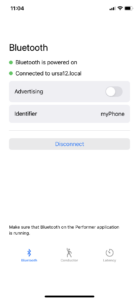
The MusicalConductor app communicates over Bluetooth with the Espressivo app. To establish a connection, the app must advertise its service and the counterpart then needs to scan for this service.
How Do I Assign Input Elements to Musical Elements?
You don’t. The assignments are left to the Espressivo app. The MusicalConductor app just offers buttons and a sensor. This is similar to a gamepad.
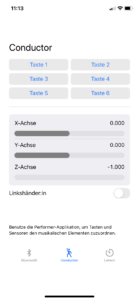
It is the Espressivo app’s responsibility to assign input elements to musical elements. All settings and changes are propagated back to the MusicalConductor app. In our case, Button 2 is assigned the Start/Stop function and a rotation around the X-axis is used to control the tempo.
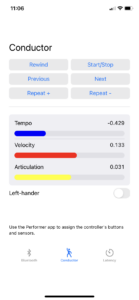
By the way, the values of the three components of the sensor are passed as an angle around the X-axis, as an angle around the Y-axis and as the overall acceleration value.